 Digital edition · illustrated view
DF.004 · Work · First edition
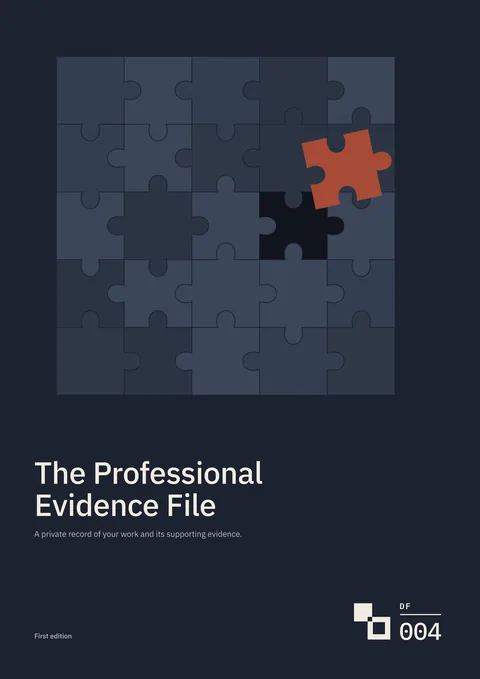
The Professional Evidence File
For a performance review or job application, record your responsibility, what you did and the source behind each result. Check the claim, then select an example you are permitted to share with that recipient.
- Edition
- First edition, 2026 · v1.0
- Page size
- A4210 × 297 mm
- Cover options
- 8
- Files
- Print PDF
- Low-Ink PDF
- Fillable PDF
- Tablet PDF
- Interactive
- Available soon, with the Interactive and Complete Editions
What this edition lets you do
- Separate your work from the team’s
- Record your responsibility and the contribution of other people on the same project.
- Check a result before stating it
- Record the baseline, calculation and source behind a figure, including limits on the claim.
- Prepare an example for a named recipient
- Record what the recipient has asked for and the permission or rule used when sharing material.
For example A team project improved an appointment rate. You want to cite the result in a promotion application, and need to separate your contribution from the team’s and check which figures may be disclosed.
About this edition
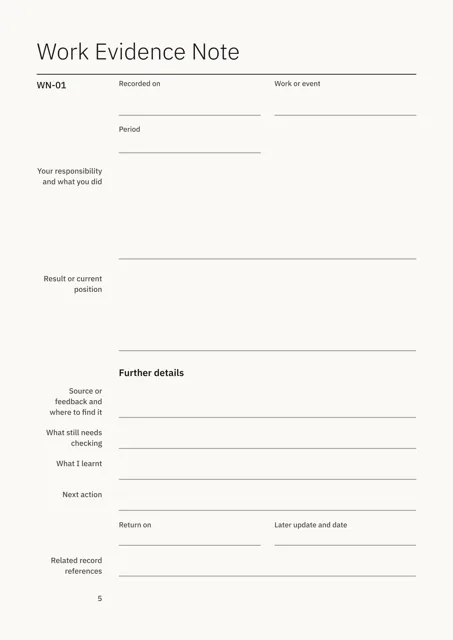
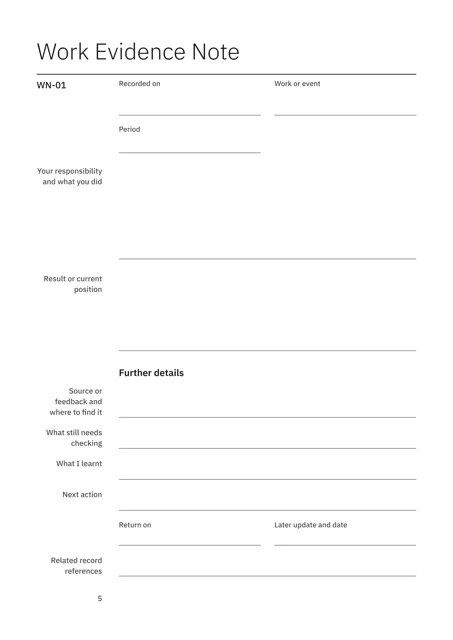
The Professional Evidence File records what you did at work and the evidence behind it. A Work Evidence Note covers one piece of work: your responsibility, what you did, the result or current position, and where to find the source or feedback.
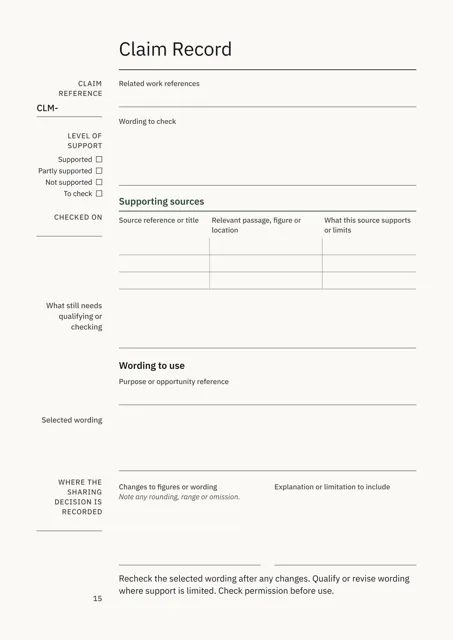
For larger projects, a Detailed Project Record records your contribution, results, figures, evidence and Sharing Decision. A Claim Record checks one statement against its sources and records the wording you will use.
When a review, application, interview or portfolio comes up, record the recipient’s requirements, select examples and complete the sharing check. The Source Record remains private. A portfolio contains only the material you select.
Check claims and prepare examples
- Record what you did
- A Work Evidence Note records your responsibility, actions, result or current position, source and storage location.
- Separate your contribution from the team’s
- The Detailed Project Record records your role, responsibility, actions and the contributions of other people.
- Record figures and calculations
- Mark each figure as a result, target or forecast, then enter the baseline, sample size, calculation and other influences.
- Check each claim against its source
- A Claim Record lists the supporting sources and rates the support as Supported, Partly supported, Not supported or To check.
- Record what may be shared
- A Sharing Decision records who owns the material, the permission or rule used, the conditions and the audience and purpose.
- Prepare what you send
- Record the recipient’s requirements, select examples and complete the Output Record and Before you send checks.
Who it is for
- People preparing for a performance review, promotion, application or interview.
- People who worked in a team and need to separate their own contribution from other people’s.
- People using figures or internal documents as evidence who need to record what may be shared and with whom.
See a completed example
Maya Ellison, Operations Improvement Officer at Northstead Housing Services
Completed example · Fictional information
Maya records a repairs appointment pilot that ran from 13 January to 17 April 2026. Missed appointments fell from 18% to 11% across 1,248 bookings in the eight-week measurement period. The example follows one claim from a Work Evidence Note to a Claim Record rated Partly supported. Her first wording claims more than the sources show. The selected wording gives the two rates, the period and the limits.
What you do
- Record one piece of work in a Work Evidence Note.
- Open a Detailed Project Record when a project needs more space.
- Enter each statement you may use in a Claim Record with its sources.
- Record a Sharing Decision for each audience and purpose.
- Record the recipient’s requirements and select examples.
- Record the finished file in an Output Record, then complete both parts of Before you send.
In use
In each format
- Print PDF
- Full-colour pages for printing.
- Low-Ink PDF
- Printable pages with reduced solid fills.
- Fillable PDF
- Fields for typing in a PDF reader. Tested in Chrome and Firefox.
- Tablet PDF
- Pages for handwriting and drawing in a PDF annotation app.
- Interactive Edition
- Available soon. The same professional-evidence record for browser completion.
Interactive Edition · Available soon
Type into the pages in your browser. Each field holds what fits on the printed page and warns you near the limit. The project shows Saved after it is stored on the device.
Save a backup to continue on another supported browser or device. Export a reading PDF or fillable PDF.
Scope
Use the file to document your work, sources, claim checks and sharing decisions. Verify ownership, confidentiality, permission and recipient requirements from the relevant contract, workplace rule or source before sharing material.
Check the saved output separately for hidden information before sending it.
Questions
- Where do I start?
- Record one piece of work in a Work Evidence Note. Use a Detailed Project Record when a project needs more space.
- How are claims checked?
- The Claim Record lists the sources, rates the level of support and records the wording and limits used.
- How is sharing recorded?
- The Sharing Decision records the rule or permission relied on for a named audience and purpose.
- Can I prepare a portfolio?
- Yes. Companion pages include a Brief Portfolio, Selected Work Portfolio, optional criteria and work-sample pages, and name-blind versions.
- Which format should I use?
- Print for paper, Low-Ink for reduced solid fills, Fillable for typed PDF entries or Tablet for handwriting with a stylus. An Interactive Edition, for completing the record in your browser, is available soon.
- Is the completed example included?
- Yes. Maya Ellison, Northstead Housing Services and the example data are fictional.
- Can I record more projects?
- The Repeat Project Packet adds further notes, result pages, Evidence Records, Sharing Decisions and Claim Records. Additional Project Pages add portfolio pages.
Version history
Updates within version 1 are included. Each one appears in your library with a note of what changed.