 Digital edition · illustrated view
DF.002 · Work · First edition
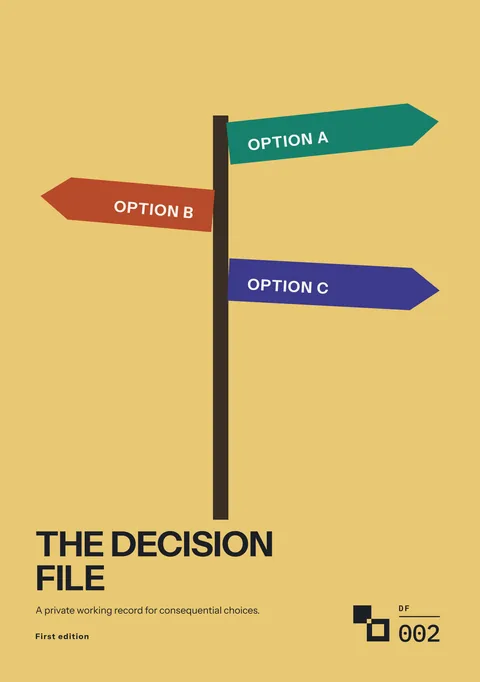
The Decision File
For a consequential decision, compare the available options against your must-haves and the evidence you have. Record the reason for your choice, what you expect and when you will review it.
- Edition
- First edition, 2026 · v1.0
- Page size
- B5176 × 250 mm
- A4210 × 297 mm
- Cover options
- 8
- Files
- Print PDF
- Low-Ink PDF
- Tablet PDF
What this edition lets you do
- Begin with a short record
- Use the three-page Quick Decision Record for a straightforward choice.
- Test the alternatives
- Check each option against your must-haves, then compare the options that remain.
- Record what you knew, then review the decision later
- Use the review pages to compare the outcome with what you expected when you made the decision.
For example You are weighing a job offer in another city against staying where you are. Record the available options, the effects on your household and the terms of the offer that still need checking.
About this edition
The Decision File records one consequential decision at a time, such as a job offer, a mortgage fix or a house extension. Each decision gets a Decision ID, such as D-001, and every page for that decision shows the same ID.
Start with the three-page Quick Decision Record. Use the Full Decision File when the choice is difficult or costly to reverse, affects another person or depends on information you still need. The Decision ID stays the same.
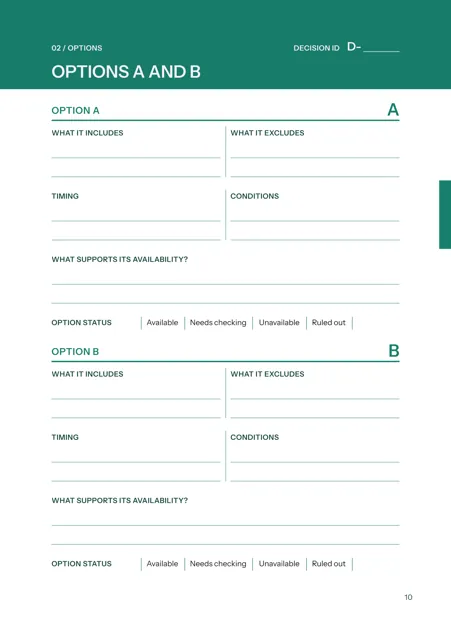
The Full Decision File uses six phases: Frame, Options, Evidence, Test, Decide and Review. List the options, mark facts, assumptions and unknowns, remove options that fail your must-haves, compare those that remain and record the decision with your reasons and expected outcome. The comparison ends as Clear, Tied or Inconclusive.
Compare, decide and review
- Compare real alternatives
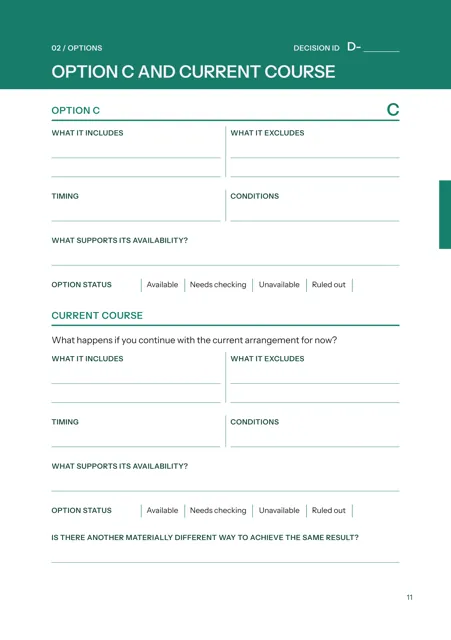
- Options A, B and C and the current course appear side by side. Each option has a status: Available, Needs checking, Unavailable or Ruled out.
- Separate facts, assumptions and unknowns
- Mark each statement and list its source and check date where applicable.
- Rule out an option that cannot meet a must-have
- The viability page records the failed must-have and the reason the option was removed.
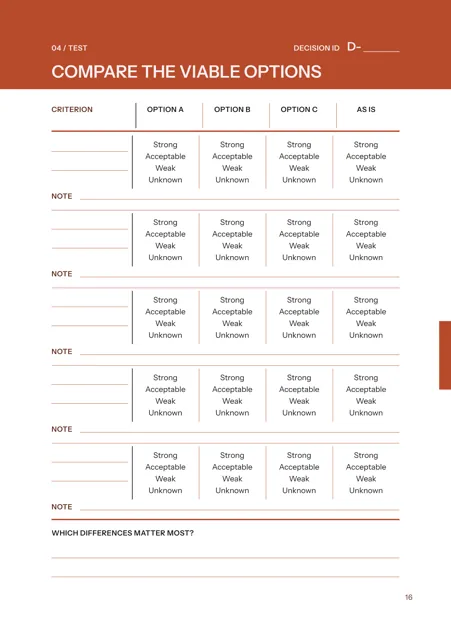
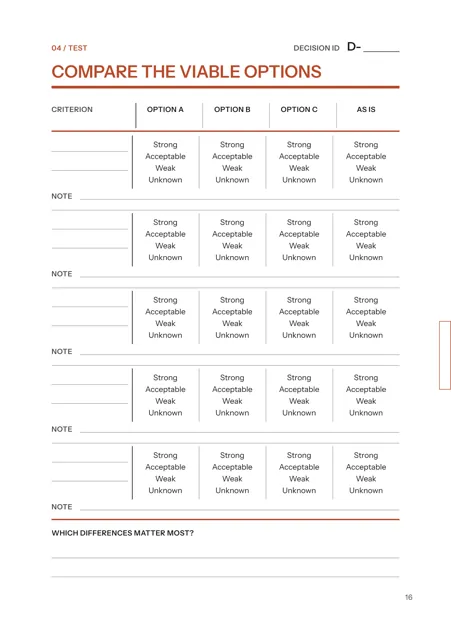
- Compare the viable options
- Rate each option Strong, Acceptable, Weak or Unknown against the criteria. The optional priority comparison ends as Clear, Tied or Inconclusive.
- Record why you decided
- Add the decision date, the people deciding, the main reasons, the evidence used and the outcome expected by the review date.
- Review the result later
- One review page examines the decision on what was known at the time. The next compares what happened with what you expected.
- Use one Decision ID throughout
- A decision keeps one ID from the Quick record through the Full file and review. Its status can be Open, Deferred, Decided, Withdrawn or Superseded. The Decision Register records the category, status, decision date, review date and any replacement ID.
Who it is for
- People facing a consequential decision that is costly to reverse or affects someone else.
- People who want to review later why they chose one option and which facts or assumptions changed.
- Two people deciding together, with each person’s agreement recorded.
See a completed example
Alex Doyle, Bristol
Completed example · Fictional information
From 19 August 2025 to 4 March 2026, one decision is recorded from the first question to later review: whether to accept a Senior Product Manager offer in Manchester and, if so, whether to move or commute. The Quick Decision Record becomes a Full file because the choice affects a partner and child. The priority comparison is Tied. The decision is recorded on 4 September 2025, and the March 2026 review opens a follow-up decision.
What you do
- Open the Quick Decision Record and enter the Decision ID, decision, options and must-haves.
- Mark each statement as fact, assumption or unknown.
- Use the Full Decision File when the choice needs more evidence or comparison. Keep the same Decision ID.
- Complete Frame, Options, Evidence and Test, then record the decision in Decide.
- Record the reasons, expected outcome and each action with its due date.
- Complete the Review pages on the review date and update the Decision Register.
In use
In each format
- Print PDF
- Full-colour pages for printing.
- Low-Ink PDF
- Printable pages with reduced solid fills.
- Tablet PDF
- Pages for handwriting with a stylus in a PDF annotation app. Links take you between pages.
Scope
Use the file to compare and document your own decision. Obtain financial, legal or other professional advice separately where the decision requires it.
Questions
- What does it cover?
- One consequential decision: the question, options, evidence, comparison, choice, reasons, actions and later review.
- Where do I start?
- Start with the Quick Decision Record. Use the Full Decision File when the choice needs more evidence or comparison.
- What happens when a decision changes?
- Mark the earlier decision as Superseded by the new Decision ID and record what changed. A deferred decision records the date or condition for reopening it. A withdrawn decision records the date and reason.
- Which format should I use?
- Print for paper, Low-Ink for reduced solid fills or Tablet for handwriting with a stylus.
- What is included?
- Single includes one cover in the listed PDF formats, the completed example and Start Here. The Complete Edition, available soon, includes every cover in the listed PDF formats.
- Is the completed example real?
- The completed example is fictional.
Version history
Updates within version 1 are included. Each one appears in your library with a note of what changed.