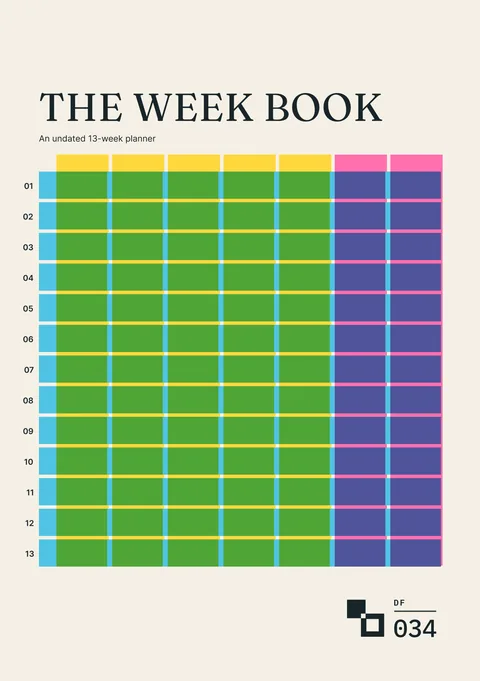
 Digital edition · illustrated view
DF.034 · Planning · First edition
The Week Book
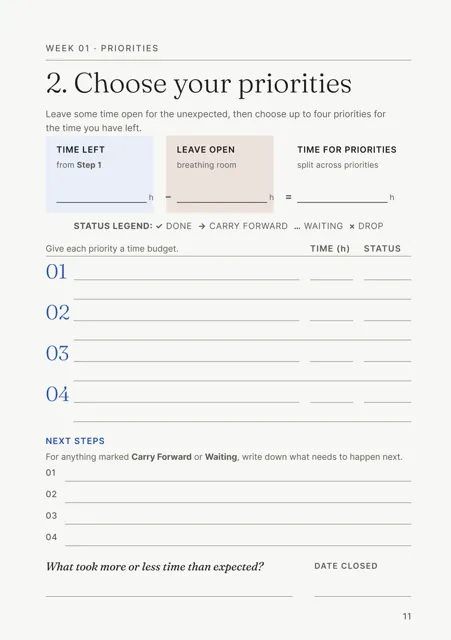
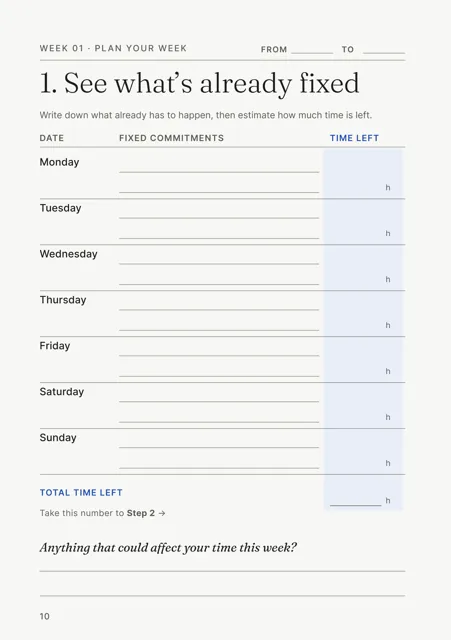
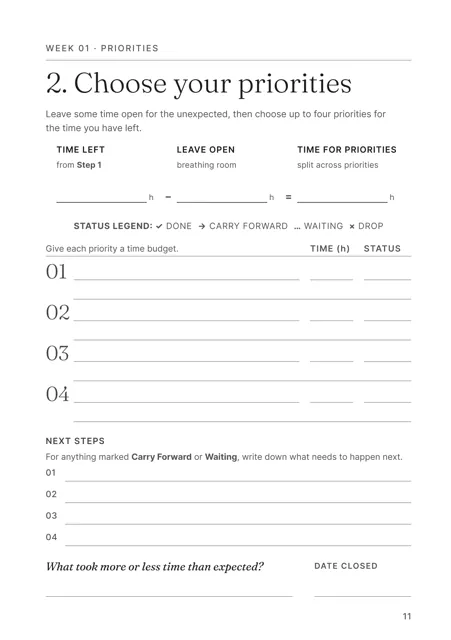
Start each week with the hours already committed. Subtract the time you choose to leave open, then budget the remaining hours across up to four priorities. At week close, record what was finished, carried forward, left waiting or dropped.
- Edition
- First edition, 2026 · v1.0
- Page size
- A5148 × 210 mm
- B5176 × 250 mm
- Cover options
- 6
- Files
- Print PDF
- Low-Ink PDF
- Fillable PDF
- Tablet PDF
- Interactive
- Available soon, with the Interactive and Complete Editions
What this edition lets you do
- See the time available
- Start with commitments already in the diary before assigning hours to new work.
- Choose up to four priorities
- Allocate the remaining time between the priorities selected for that week.
- Use the review to plan the next week
- Record where the hours went and what did not fit.
For example Meetings and family commitments take up much of the week. Plan three priorities against the hours left and record work that overruns.
About this edition
The Week Book plans thirteen weeks, one week at a time, from the time available. Each week you list fixed commitments, work out the hours left, leave some time open and divide the remaining hours between up to four priorities.
The weeks are undated. Add dates as each week is planned and skip calendar weeks when needed.
Open Items records work you may return to. Waiting On records work that depends on a reply or another change. A mid-cycle check-in after Week 7 and a review at Week 13 record what took longer than planned and what was repeatedly carried forward.
Budget the week and record each priority’s status
- Calculate the hours available
- In Step 1, list fixed commitments and the time left each day, then total the week.
- Leave time open
- In Step 2, subtract the time you choose to leave open from the hours available.
- Allocate up to four priorities
- Give each selected priority a time budget within the hours available for priorities.
- Record what happened
- Mark each priority Done, Carry Forward, Waiting or Drop and add the next action for anything carried forward or waiting.
- Review recurring overruns
- The mid-cycle check-in looks back at Weeks 1 to 7. The closing review looks across all thirteen weeks.
- Start on any day
- Write the date you begin and leave earlier days blank. When a calendar week is skipped, the next week in the book takes the next dates used.
Who it is for
- People planning a thirteen-week cycle for work, study, a creative project or household work.
- People whose weeks contain fixed commitments such as deadlines, appointments, travel or school pick-ups.
- People who want to compare planned time with what happened.
See a completed example
Leila Morgan, exhibition producer and workshop facilitator, Bristol
Completed example · Fictional information
A spring cycle runs from Thursday 8 January to Sunday 10 May 2026: thirteen weeks across eighteen calendar weeks, with four breaks. In Week 6 a client changes the brief. The wall panels are dropped, and six mobile captions go into Open Items and are selected in Week 7. Two items remain open when the cycle closes.
What you do
- Add your name, cycle start date and focus on the title page.
- Add dates and the main focus to the 13-week view as each week is planned.
- In Step 1, record fixed commitments and time left, then total the week.
- In Step 2, subtract the time left open and allocate up to four priorities.
- Mark each priority Done, Carry Forward, Waiting or Drop as the week progresses.
- At the end of the week, record the next action for anything carried forward or waiting and note what took more or less time than expected.
- Add new work to Open Items and pending replies to Waiting On.
- Complete the mid-cycle check-in after Week 7 and the closing review after Week 13.
In use
In each format
- Print PDF
- Full-colour pages for printing.
- Low-Ink PDF
- Printable pages with reduced solid fills.
- Fillable PDF
- Fields for typing in a PDF reader. Tested in Chrome and Firefox.
- Tablet PDF
- Pages for handwriting and drawing in a PDF annotation app, with section tabs and links between pages.
- Interactive Edition
- Available soon. The same thirteen-week planner for browser completion.
Interactive Edition · Available soon
Type into the pages in your browser. Each field holds what fits on the printed page and warns you near the limit.
The project shows Saved after it is stored on the device. Save a backup to continue on another supported browser or device. Export a reading PDF or fillable PDF.
Scope
Each week contains seven day rows and four priority rows measured in hours. Longer notes use the two notes pages after each week and the notes pages at the back.
Questions
- What does it cover?
- Thirteen undated weeks, with fixed commitments, available hours, up to four priorities, two notes pages per week, Open Items, Waiting On, a mid-cycle check-in and a closing review.
- When can I start?
- Start on any day. Enter the date you begin and leave earlier days blank.
- What happens if I skip a calendar week?
- The next week in the book takes the next dates you use.
- Which format should I use?
- Print for paper, Low-Ink for reduced solid fills, Fillable for typed PDF entries or Tablet for handwriting with a stylus. An Interactive Edition, for completing the record in your browser, is available soon.
- Is the completed example included?
- Yes. The people, clients and dates in the example are fictional.
Version history
Updates within version 1 are included. Each one appears in your library with a note of what changed.