 Digital edition · illustrated view
DF.017 · Home · First edition
The House Record
When you need to find a past repair or the next service date, use the job reference to locate the room, materials, invoice and photographs. The House Record also lists the work and known gaps for a later handover.
- Edition
- First edition, 2026 · v1.0
- Page size
- A4210 × 297 mm
- US Letter216 × 279 mm · 8.5 × 11 in
- Cover options
- 7
- Files
- Print PDF
- Low-Ink PDF
- Fillable PDF
- Tablet PDF
- Interactive
- Available soon, with the Interactive and Complete Editions
What this edition lets you do
- Find a past repair
- Give a job one reference and use it across its room, materials, fixed equipment, invoice and photographs.
- Check the next service date
- Record who last serviced a fixed system, when it was done, when it is next due and where the document is stored.
- Prepare a house handover
- List the work, documents and known gaps for the next person.
For example You need to find which company replaced a boiler component, whether the guarantee still applies and where the invoice is stored. The work, equipment and document records use the same job references.
About this edition
The House Record is a file for one property. Each room, finish, fixed system and piece of fixed equipment gets a reference, and each piece of work links to the rooms, materials, documents and photographs involved.
Start with one finished repair, alteration or replacement. Record the information source for any detail that cannot be confirmed from a document, or write Unknown.
Add to the record as work and servicing happen. The handover pages list the work, documents and known gaps for the next person.
Find past repairs and prepare a property handover
- Find a job and its related records
- Every piece of work links to the room, materials, equipment, document and photograph behind it.
- Check the next service date
- The maintenance and service schedule records the work, last-completed date, next-due date, contractor and document location.
- Record the source of a fact
- Use the relevant certificate, invoice, plan, professional record or your own recollection. Use Unknown where the detail is not known.
- See the property by record type
- Rooms, building elements, heating, electrical, water, ventilation and safety have their own pages and work histories.
- Find documents and contacts
- The document, image and professionals registers record where each certificate, guarantee, plan and trade contact can be found.
- Prepare the handover
- The handover indexes list the property records, documents and known gaps for the next person.
Who it is for
- People who own a house and want repairs, alterations and servicing recorded.
- People renovating a property who want work, invoices and photographs linked.
- People preparing to sell, let or hand over a house who need a factual record of the work and documents.
See a completed example
14 Windlestraw Road, a fictional house
Completed example · Fictional information
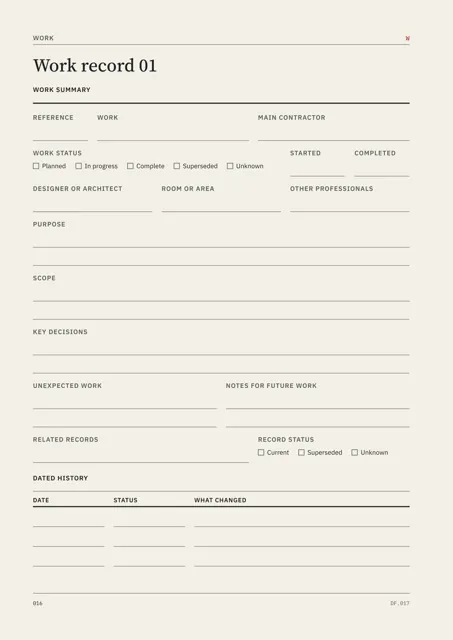
A kitchen refit runs from the room and work entry to the materials, fixed equipment, invoice and photographs, with the same references on every page. Roof, boiler and window work are recorded alongside it, and the pages show how an unknown fact is recorded.
What you do
- Add the property details and give each room or area an R reference.
- Add one finished repair, alteration or replacement to the Work Index with a W reference.
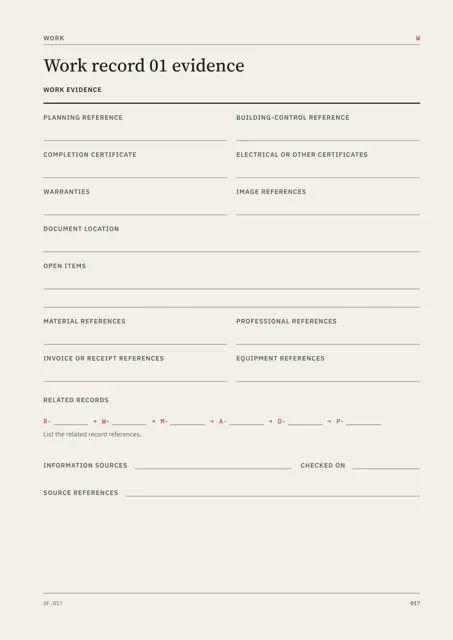
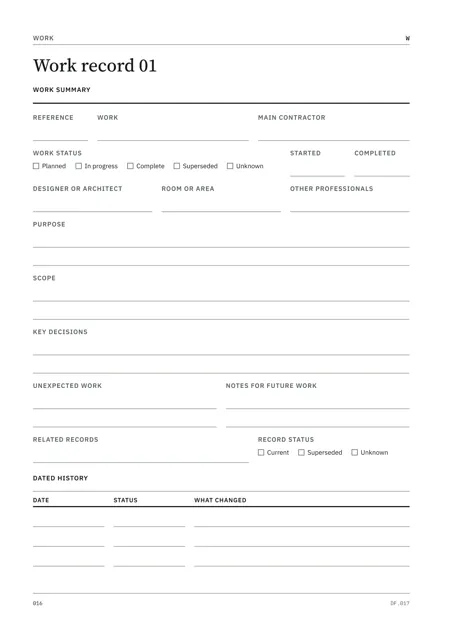
- Complete the Work Record and evidence page.
- Add references for the materials, equipment, documents and images involved.
- Record the source for any information that cannot be confirmed from a document, or use Unknown.
- Add each later job and service and update the maintenance and service schedule.
In use
In each format
- Print PDF
- Full-colour pages for printing.
- Low-Ink PDF
- Printable pages with reduced solid fills.
- Fillable PDF
- Fields for typing in a PDF reader. Tested in Chrome and Firefox.
- Tablet PDF
- Pages for writing in a tablet annotation app, with page links and the Repeat Library in the same file.
- Interactive Edition
- Available soon. The same house record for browser completion.
Interactive Edition · Available soon
Type into the pages in your browser. Each field holds what fits on the printed page and warns you near the limit. The project shows Saved after it is stored on the device.
Save a backup to continue on another supported browser or device. Export a reading PDF or fillable PDF.
Scope
The House Record is your account of one property. Use surveys, certificates, title documents and professional records as the authority for the matters they cover.
Record passwords, alarm codes and door-entry codes in the secure system used for those credentials.
Use a separate valuation or condition assessment where one is required.
Questions
- What does it cover?
- One property: rooms, building elements, materials and finishes, fixed systems, fixed equipment, building work, documents and photographs.
- Where do I start?
- Start with the property details, then add one completed repair, alteration or replacement.
- Which format should I use?
- Print for paper, Low-Ink for reduced solid fills, Fillable for typed PDF entries or Tablet for handwriting with a stylus. An Interactive Edition, for completing the record in your browser, is available soon.
- What is included?
- Single includes one cover in Print, Low-Ink, Fillable and Tablet PDF, the Repeat Library, completed example and Start Here. Interactive and Complete Editions are available soon: Interactive adds the browser edition, and Complete includes every cover in the listed formats and the Interactive Edition.
- Is the completed example included?
- Yes. 14 Windlestraw Road and all example details are fictional.
- What are the Repeat Library pages for?
- They provide further copies of the core records and continuation pages for full registers.
Version history
Updates within version 1 are included. Each one appears in your library with a note of what changed.