 Digital edition · illustrated view
DF.023 · Collections and Craft · First edition
The Darkroom Print Record
To reprint a black-and-white enlarger print, start with its negative, paper, test strips and final exposure sequence. Record what changed in the next version and give each finished copy an ID and location.
- Edition
- First edition, 2026 · v1.0
- Page size
- A4 landscape297 × 210 mm
- Cover options
- 8
- Files
- Print PDF
- Low-Ink PDF
- Fillable PDF
- Tablet PDF
- Interactive
- Available soon, with the Interactive and Complete Editions
What this edition lets you do
- Reprint from the final notes
- Record the paper, setup and exposure sequence behind the selected version.
- Map dodging and burning
- Number areas on the exposure map and use the same numbers in the print sequence.
- Find each finished copy
- Record whether a copy is stored, displayed, lent, given away or sold.
For example A print looked right after drying. Months later, you return to the negative with a different box of paper. The first version’s tests and final notes provide the documented starting settings for the reprint.
About this edition
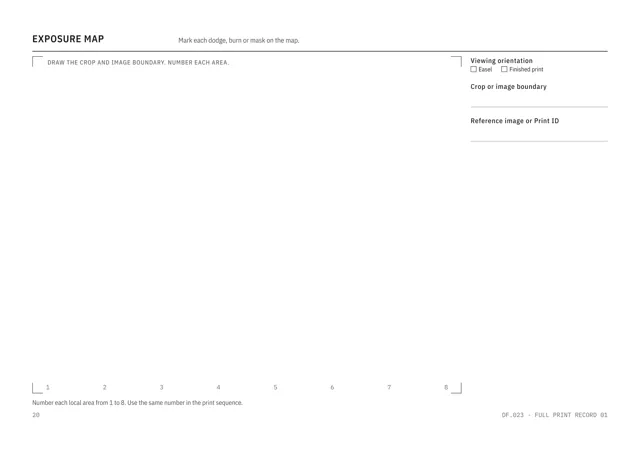
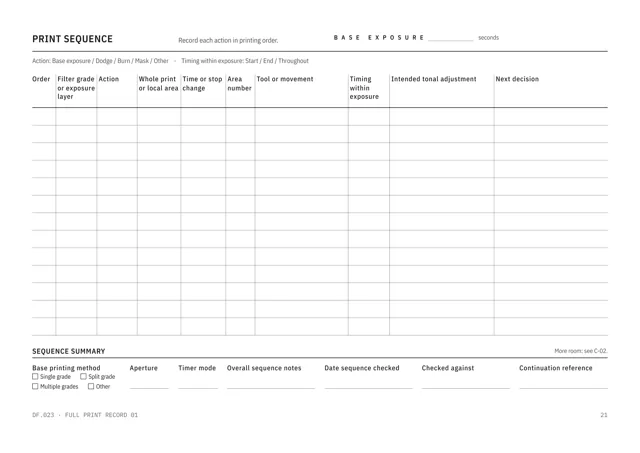
The Darkroom Print Record is for black-and-white enlarger printing. Each new or revised print gets a six-page Full Print Record: source and intent, setup and materials, tests and decisions, exposure map, print sequence and assessment after drying.
Four identifiers link the record. A Negative ID names the source negative, a Print ID the intended print, a Version the crop, size, paper and exposure plan, and a Copy ID each finished print. Retained test strips, test prints and work prints receive references too.
Registers for paper, chemistry batches, equipment and shared stations record what each print was made with. Reprint, copy and storage pages record which copies exist and where each one is.
Reprint and locate each copy
- Record final printing settings
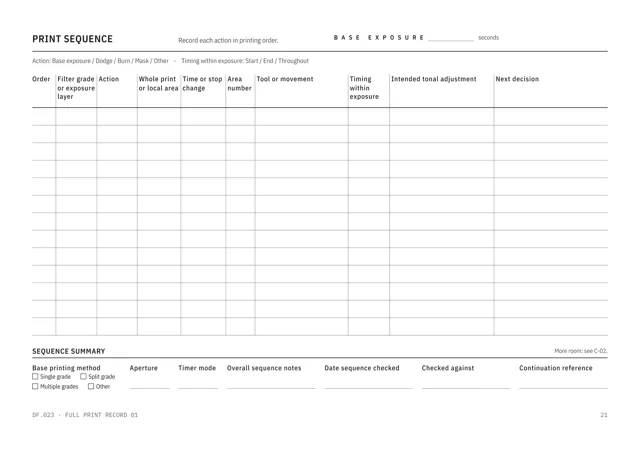
- Each Version has its own final printing notes and exposure sequence.
- Record retained tests
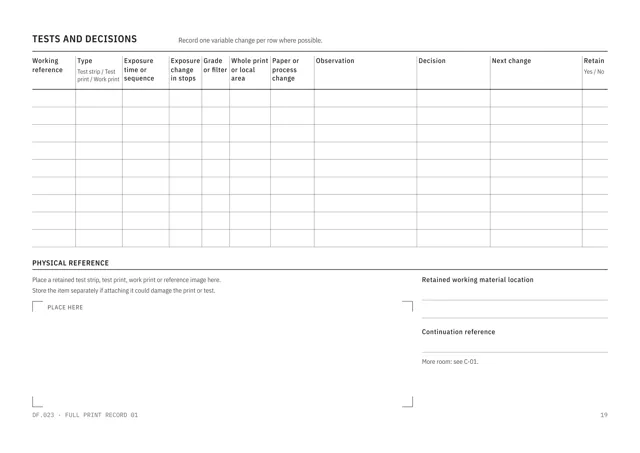
- The tests and decisions page records each test strip, test print or work print, what changed, what you saw and whether you kept it.
- Map dodging and burning
- Number each area on the exposure map and use the same number in the print sequence.
- Compare changes between versions
- Equipment and material changes are dated, and comparison pages place paper, process, equipment and setup side by side.
- Record each finished copy
- The copy log gives each finished print a Copy ID and location. Separate pages record storage, condition, display, loan, gift, sale and transfer.
- Prepare the next session
- The Open Tests and Next Session page records each question, next test, materials needed and planned date.
Who it is for
- People printing black-and-white negatives with an enlarger at home or in a studio.
- Printers using shared darkrooms, enlargers and stations.
- Printers who reprint, give, lend, display or sell prints and need a copy record.
See a completed example
Leila Okafor, North Room Community Darkroom, Leeds
Completed example · Fictional information
Five prints, LO-P-0047 to LO-P-0051, are printed between May and August 2026. The print ‘Rain, Kirkgate Market’ is reprinted on a new box of paper with the burn lengthened from 2 to 3 seconds, and the reprint adds two copies to the log. One print gets a second Version with a new crop. One copy is given as a gift and another is on loan.
What you do
- Choose a Full Print Record to develop or change a print, or a Quick Print Record for a straightforward print based on established final printing notes.
- Assign a Negative ID, Print ID and Version, then record the negative, intended print, setup, paper and process.
- Give each retained test strip, test print and work print a reference, and number each area used for dodging or burning.
- Assess the print after drying and update the final printing notes where needed.
- Give each finished print a Copy ID and record its location and next action.
- Use the named continuation sheet when a field or register is full.
In use
In each format
- Print PDF
- Full-colour pages for A4 landscape printing.
- Low-Ink PDF
- Printable A4 landscape pages with reduced solid fills.
- Fillable PDF
- Fields for typing in a PDF reader. Tested in Chrome and Firefox.
- Tablet PDF
- 122 pages for handwriting in a tablet annotation app, with page links and the supporting set in the same file.
- Interactive Edition
- Available soon. The same darkroom record for browser completion.
Interactive Edition · Available soon
Type into the pages in your browser. Add continuation pages where offered and carry an open test into the next session.
The project shows Saved after it is stored on the device. Save a backup to continue on another supported browser or device. Export a reading PDF or fillable PDF.
Scope
The record documents the printing settings and decisions you enter. Use current manufacturer instructions, safety information and local darkroom rules for chemistry, equipment and working practice.
The edition covers black-and-white enlarger printing.
Questions
- What does it cover?
- The negative, darkroom and equipment, paper, chemistry batches, tests, exposure decisions, dodging and burning, final printing notes, dry assessment and the location of each finished copy.
- Can I record more than five prints?
- Yes. The Repeat Print Record Set adds five more Full Print Records, and the Single Print Record supplies one Full Print Record on its own.
- Does the record suggest exposure times?
- No. Enter the exposure, filtration, paper and chemistry you used and record the result.
- Which format should I use?
- Print for paper, Low-Ink for reduced solid fills, Fillable for typed PDF entries or Tablet for handwriting with a stylus. An Interactive Edition, for completing the record in your browser, is available soon.
- What is included?
- Single includes one cover in the listed PDF formats, the supporting set, completed example and Start Here. Interactive and Complete Editions are available soon: Interactive adds the browser edition, and Complete includes all eight covers in the listed formats and the Interactive Edition.
- Is the completed example included?
- Yes. The printer, darkroom, prints and copies are fictional.
Version history
Updates within version 1 are included. Each one appears in your library with a note of what changed.