 Digital edition · illustrated view
DF.032 · Home · First edition
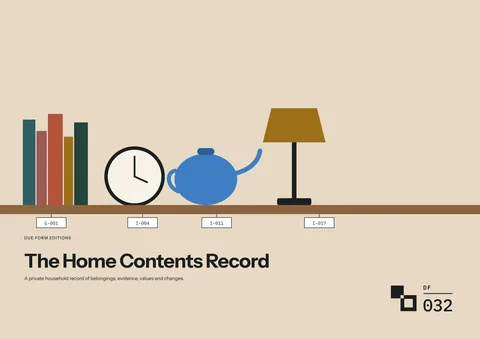
The Home Contents Record
List belongings by room so you can find an item’s location, owner, photographs, receipts and dated values. Update its entry when it moves, then select the records and files needed for a Shareable Summary.
- Edition
- First edition, 2026 · v1.0
- Page size
- A4 landscape297 × 210 mm
- Cover options
- 7
- Files
- Print PDF
- Low-Ink PDF
- Fillable PDF
- Tablet PDF
- Interactive
- Available soon, with the Interactive and Complete Editions
What this edition lets you do
- Find an item’s record
- Locate its record by room or ID and see where its photographs and receipts are stored.
- Record changes with their dates
- Add a move, removal or replacement while retaining the earlier entry.
- Choose what to share
- Use the Private Sharing Worksheet to select entries and prepare a separate Shareable Summary.
For example You photograph the contents of the loft before moving boxes into storage. Each group gets a location and evidence reference, then the same record is updated when the boxes return.
About this edition
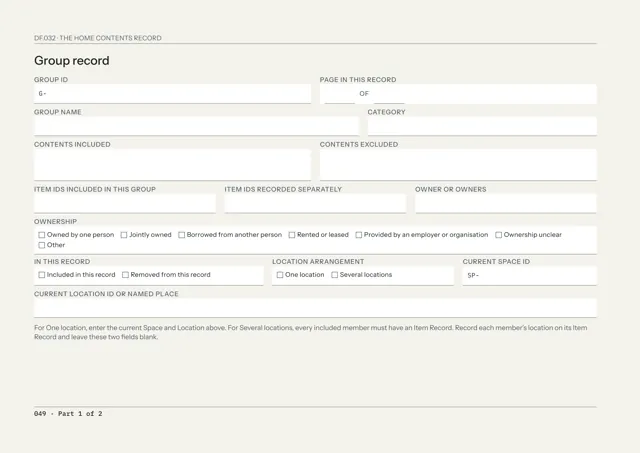
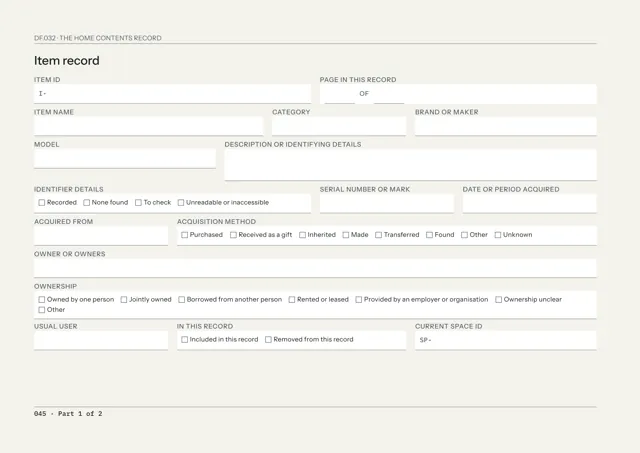
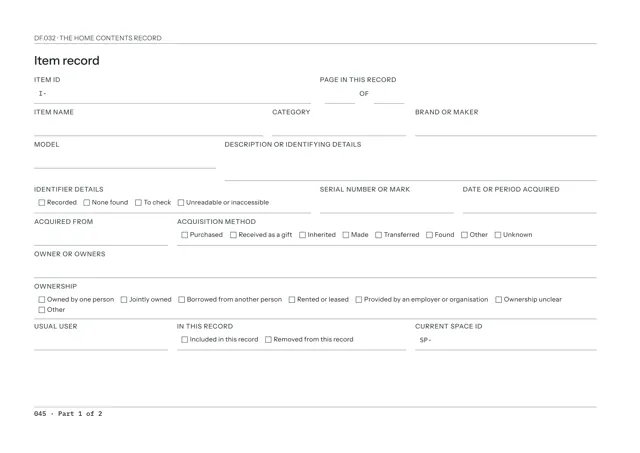
The Home Contents Record lists belongings space by space. Each item or group gets its own ID, current location and owner, with the photographs, receipts and papers that support it.
Values are recorded with a date, source and currency. When something moves, is replaced or leaves the home, add the dated change beside the earlier information.
The Private Sharing Worksheet records what a recipient will receive. The Shareable Summary contains the selected recipient pages while the Master Record remains private.
Find an item, then select its records and evidence files for a recipient summary
- Find an item or group
- Each item and group has an ID, space and location. The Reference Register lists every allocated ID and the page or file containing its record.
- Link evidence to the item
- The Evidence List records each photograph, receipt, manual or valuation with its own ID, file name and location, marked Available, To add, Missing or Superseded.
- Date each value
- A Value Record names the item or group, type of value, amount, currency, date and source.
- Record a group quantity accurately
- A Group Record marks quantity as Counted, Estimated, Not counted or Unknown.
- Record changes
- A moved item keeps the same ID with a dated change of location. A removed item remains in the record with the date and reason. A replacement gets a new ID.
- Prepare a selected summary
- The Private Sharing Worksheet records the recipient, purpose, selected items and evidence files, any redacted copy and the sending result.
Who it is for
- Households recording belongings room by room with the evidence behind each entry.
- People listing belongings before a move or before placing them in storage.
- People preparing a selected list of items, values and evidence files for a recipient.
See a completed example
The Ellery household, Birch House, Rowan Lane
Completed example · Fictional information
The record opens on 3 February 2026 and is reviewed to 2 September 2026, with spaces from the entrance hall to the loft and garden store. Loft contents move into self-storage during insulation work and return later. A leak under the bay window is recorded with the items affected. A summary for the home insurer fails to upload, is resized and is sent again.
What you do
- Fill in Record details, then give the home and first space their IDs in the Reference Register.
- Photograph or film the first space, save the files and list them on the Evidence List.
- List the main groups and individual items in that space with their IDs and locations.
- Add receipts, valuations and dated values as they become available.
- Record each move, removal and correction with its date.
- Prepare a recipient selection on the Private Sharing Worksheet and complete the Shareable Summary.
In use
In each format
- Print PDF
- Full-colour pages for A4 landscape printing.
- Low-Ink PDF
- Printable A4 landscape pages with reduced solid fills.
- Fillable PDF
- Fields for typing in a PDF reader. Each field stops at its visible limit. Tested in Chrome and Firefox.
- Tablet PDF
- Pages for handwriting in a PDF annotation app. Each footer links back to the contents.
- Interactive Edition
- Available soon. The same home-contents record for browser completion.
Interactive Edition · Available soon
Type into the pages and use the tick boxes and choice lists in your browser. Each field holds what fits on the printed page and warns you near the limit.
The project shows Saved after it is stored on the device. Save a backup to continue on another supported browser or device. Export a reading PDF or fillable PDF.
Scope
The record organises the belongings, locations, evidence and dated values you enter. Check insurance cover, professional valuations, ownership evidence and recipient requirements with the relevant policy, valuer, document or organisation.
Record the building, fixed systems and fitted finishes in the relevant property record.
Questions
- What does it record?
- Individual items and groups, their space and location, owner, photographs and papers, dated values, moves, removals and corrections.
- Where do I start?
- Start with one space. Photograph it, save the files, list the main contents and add receipts and values as they become available.
- Which format should I use?
- Print for paper, Low-Ink for reduced solid fills, Fillable for typed PDF entries or Tablet for handwriting with a stylus. An Interactive Edition, for completing the record in your browser, is available soon.
- What is included?
- Single includes one cover in the listed PDF formats, Reference Register, Private Sharing Worksheet, Shareable Summary, Core Refill Set, completed example and Start Here. Interactive and Complete Editions are available soon: Interactive adds the browser edition, and Complete includes every cover in the listed formats, the Incident and Loss, Moving and Storage and Annual Review records, and the Interactive Edition.
- Is the completed example included?
- Yes. The household, people, insurer references and amounts are fictional.
Version history
Updates within version 1 are included. Each one appears in your library with a note of what changed.