Form Guide · DF.032 · The Home Contents Record
How to start a home contents record
List belongings by room and record where their photographs and receipts are stored. Add values with their date, source and currency. Start with one room and a phone walkthrough video.
Watch the guide
When people start
- Your contents insurance renewal asks what your belongings would cost to replace.
- You are moving house or putting things into storage.
- A neighbour has had a burglary or a leak.
- You rent and have never listed what you own.
Your first 15 minutes
One room
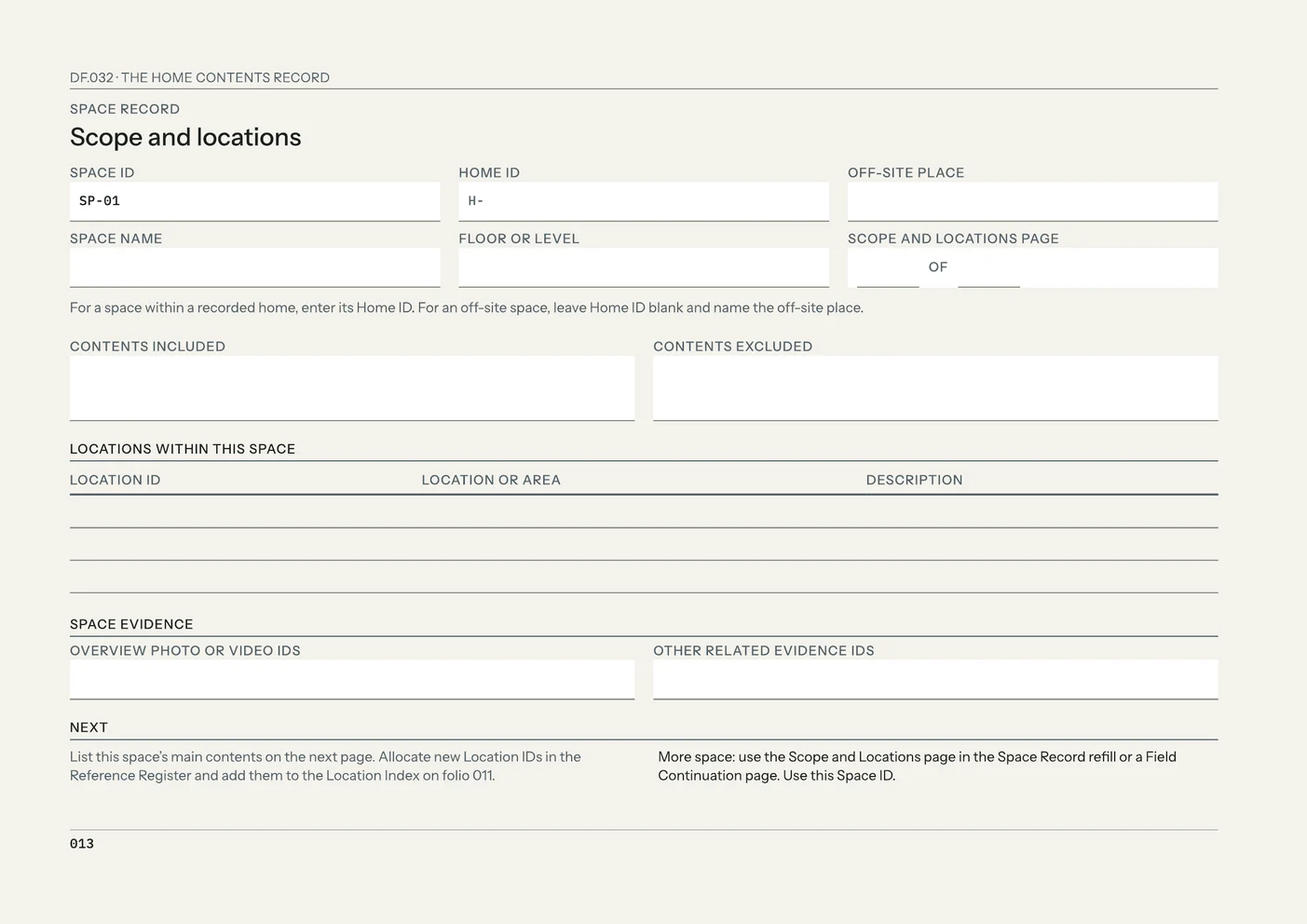
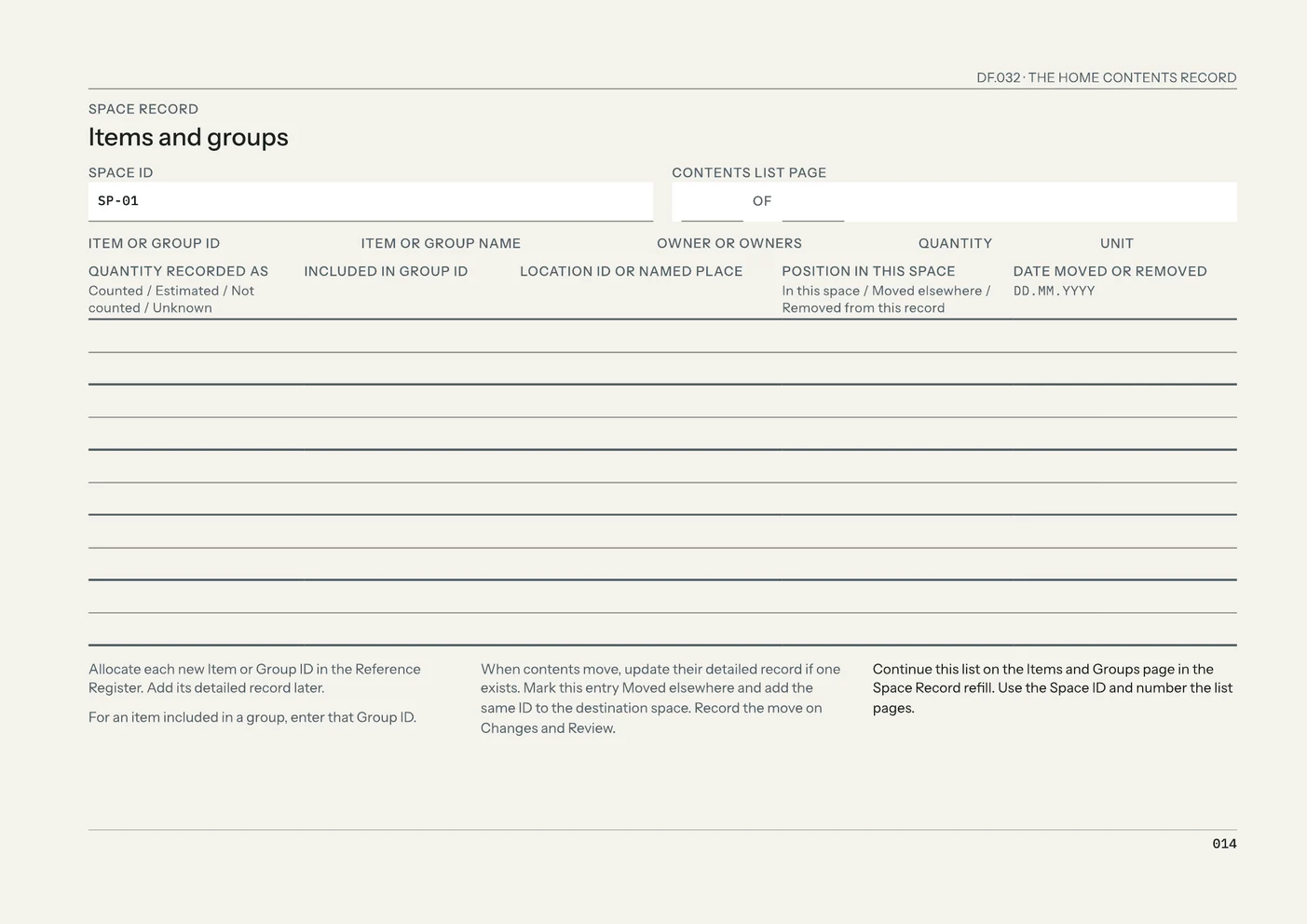
Use a sheet of paper or a note on your device. In The Home Contents Record, use Space Record SP-01: Scope and locations on folio 013 and Items and groups on folio 014.
- Choose one room or storage area and write its name.
- Film a slow walkthrough on your phone: each wall, then inside cupboards and drawers.
- Save the video where you can find it, and write down its file name and where you saved it.
- List the main groups, such as books, kitchenware and clothing, and the items that need their own entry, such as a television, bicycle, musical instrument or piece of jewellery.
- Beside each entry, record the owner and quantity. For groups, mark the quantity Counted, Estimated, Not counted or Unknown.
- Save a second copy of the video in another place.
That is the first pass the edition describes: the overview evidence saved and the room’s main contents listed. Detailed records for each item can follow.
Common questions
- Are my things worth listing?
- Listing one room shows how much is in it. The Home Contents Record uses Group Records for ordinary contents such as books, linens, everyday kitchenware, toys and clothing, with a quantity and a dated value for each group.
- What if I don’t have the receipts?
- Record each possession with the evidence you have and note what is missing in the Evidence List. The Association of British Insurers lists recent photographs of an item among the proof an insurer may ask for. The edition’s evidence types include room walkthrough videos, item photographs, photographs of labels and serial numbers, bank or card record references, warranties and manuals.
- What if I don’t know what anything is worth?
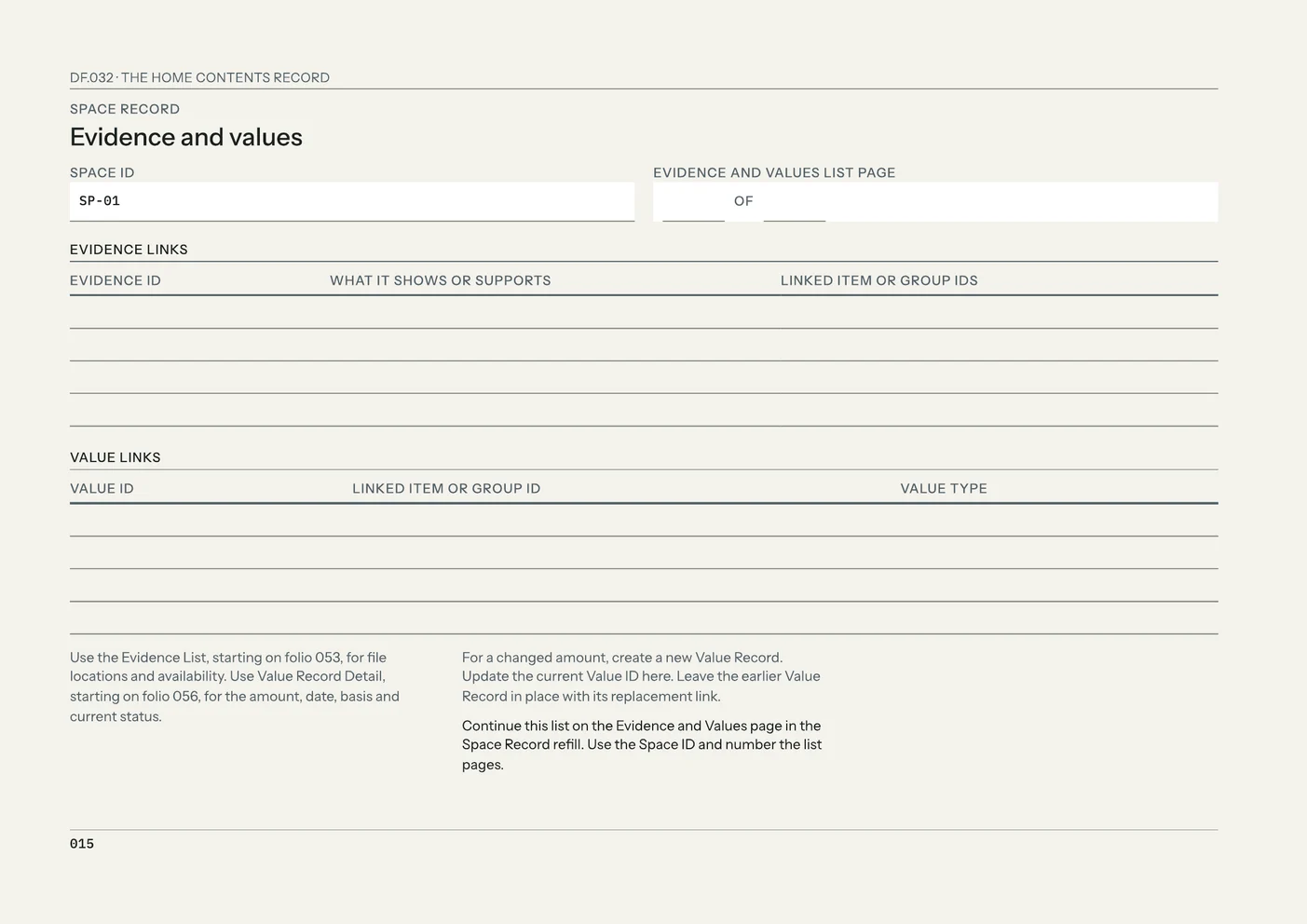
- Record the item now and add a value when you have a source. Each amount goes in its own Value Record with its type, date and basis: purchase price, replacement estimate, professional valuation, policy-listed amount or other stated value. Write Approx. before an estimated date, and do not use zero for an unknown amount.
What the full edition adds
The Home Contents Record
- Eight Space Records
- Each room or storage area has pages for scope and locations, items and groups, evidence and values, and changes and review.
- Item and Group Records
- Item Records for possessions that need their own identifying details, evidence or value. Group Records for contents that make sense together. A Reference Register gives every item, group, photograph and value its own ID.
- Dated values
- Value Records by type and date, and an optional Value Snapshot for a dated total in one currency.
- Sharing only what is needed
- A Shareable Summary and a Private Sharing Worksheet, so you can select the details an insurer or another recipient needs for that purpose.
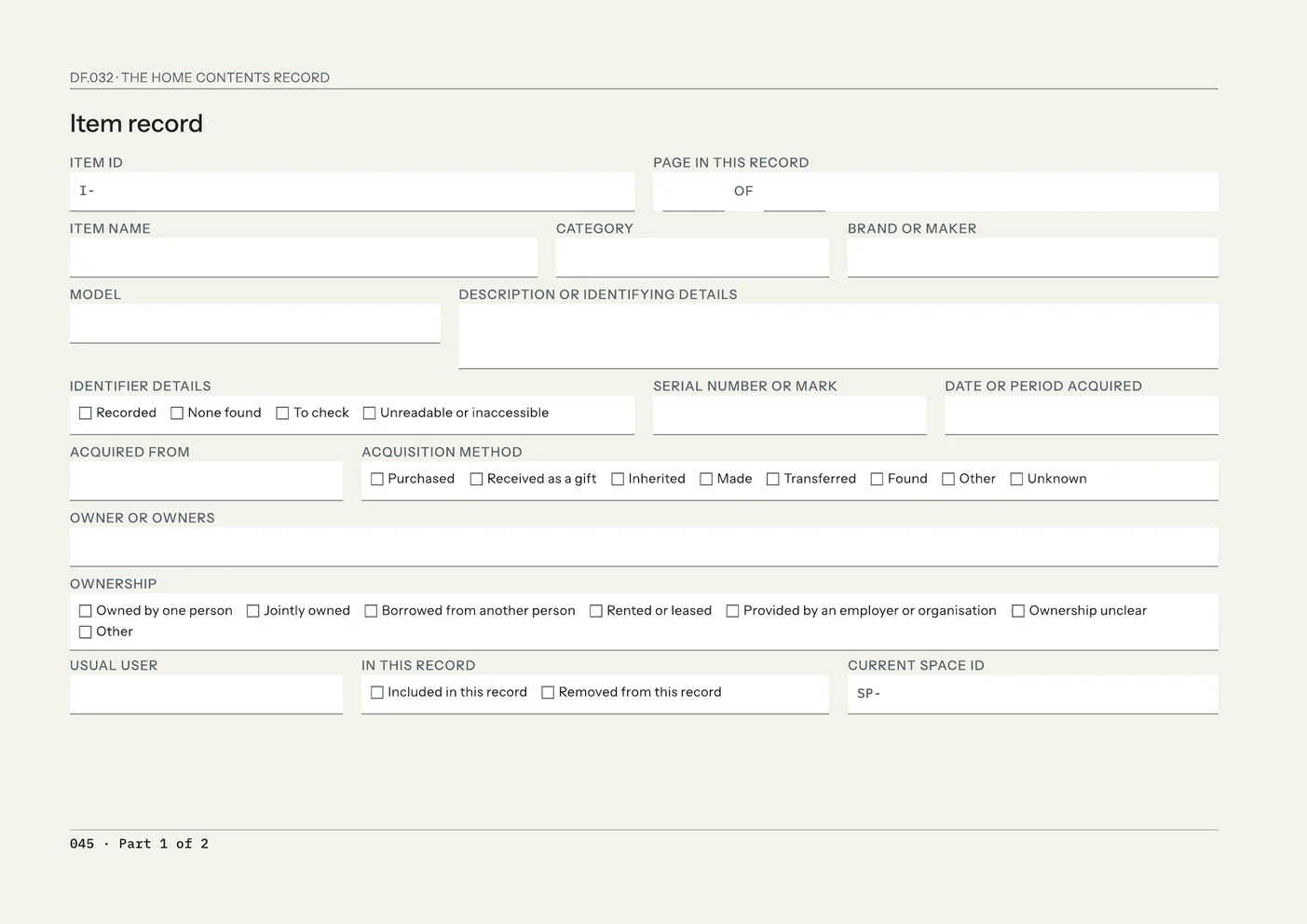
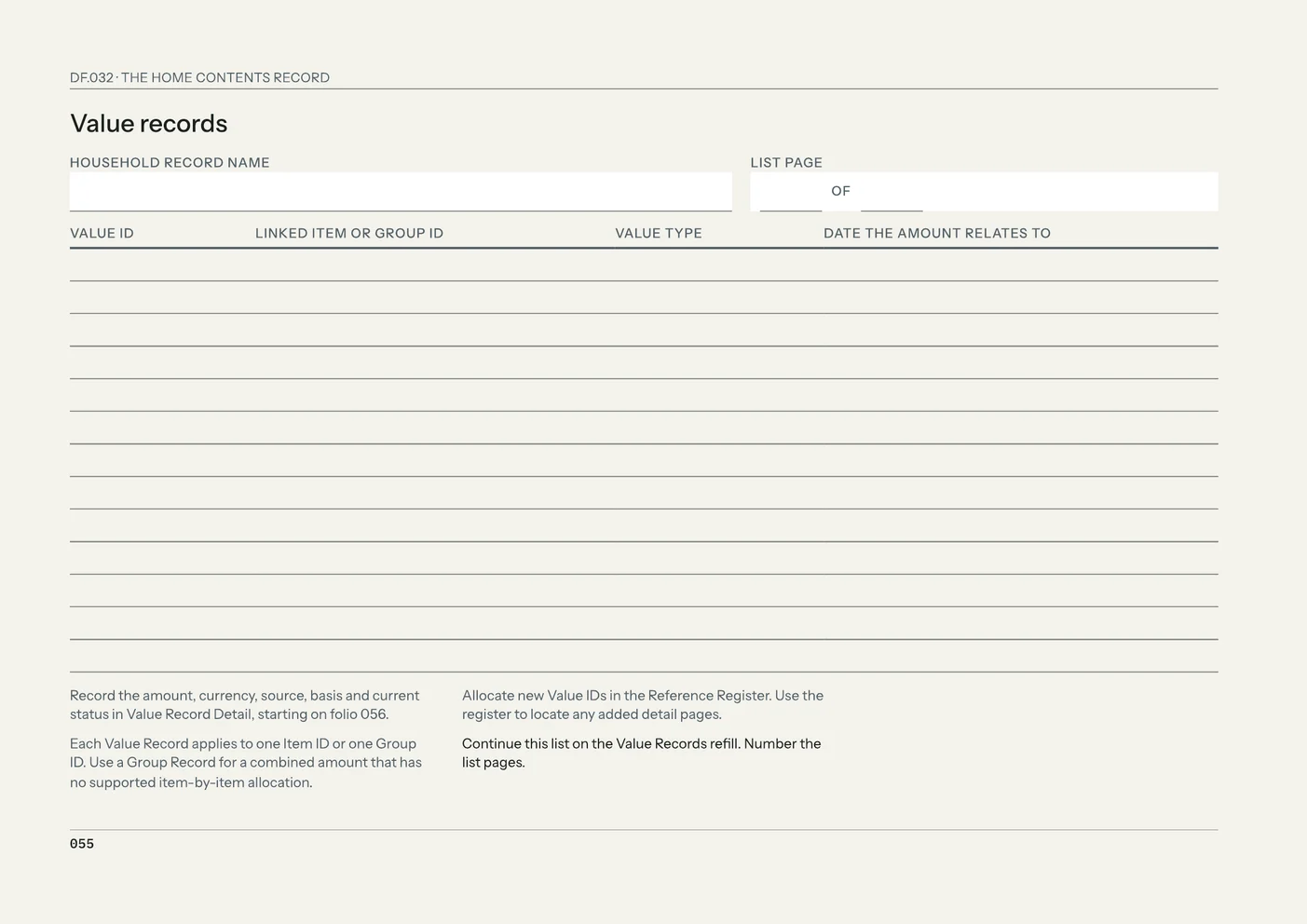
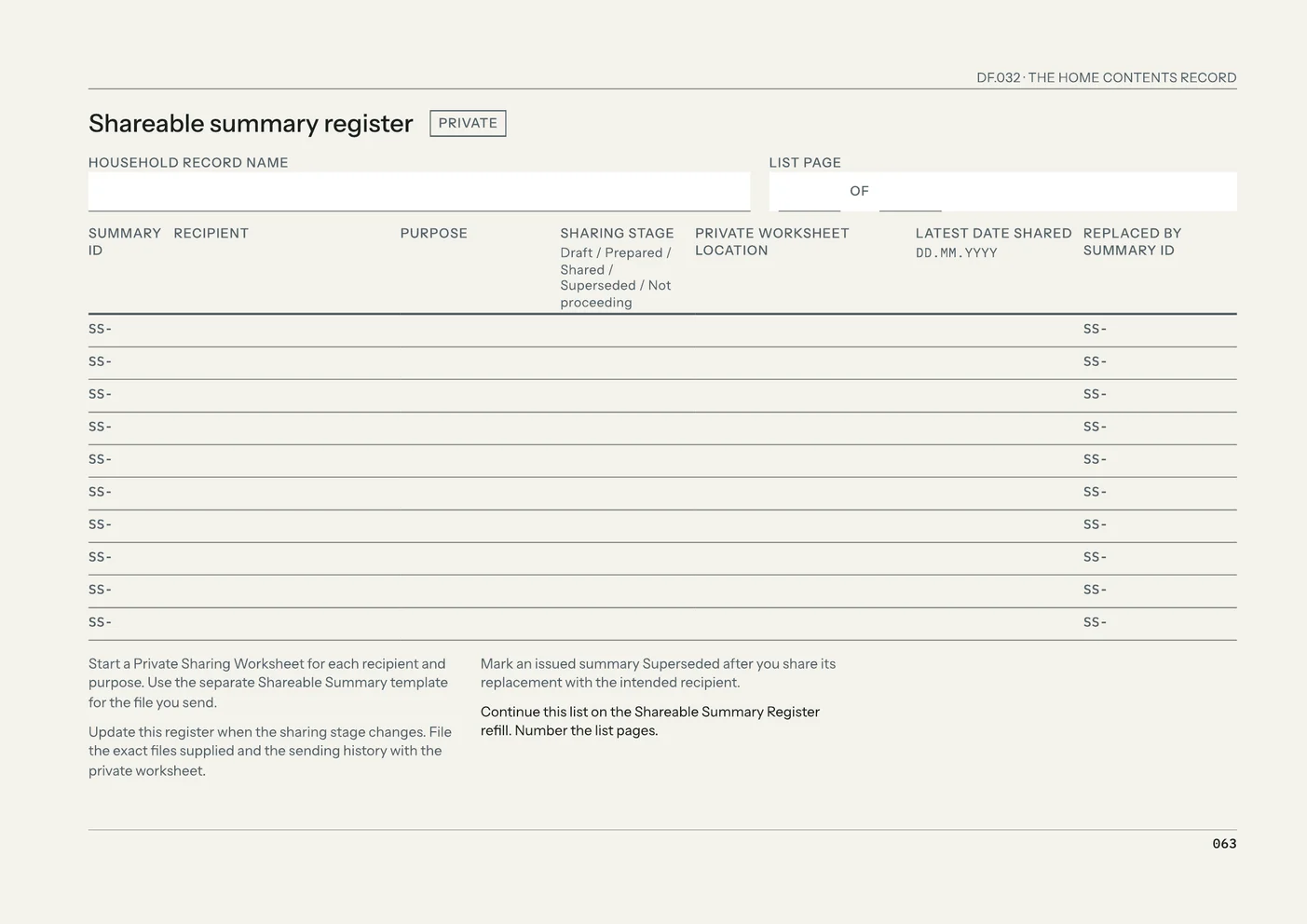
The edition also includes a Core Refill Set, a completed example, and Print, Low-Ink, Fillable and Tablet PDFs.
Free utility
Inventory Tracker
Build an Inventory Tracker workbook in Excel to list what you have, where it is and how many. It also includes stock and reorder tracking for supplies. Free to use. No account.
What to leave out
Leave passwords, PINs, alarm or safe codes, recovery phrases, full card numbers and online-banking details out of the record.
Sources
Association of British Insurers, Contents insurance: https://www.abi.org.uk/policy-and-guidance/general-insurance/personal-insurance/home-insurance/contents-insurance
Checked on 27 October 2026.