



Leave Tracker · Free · No account
A leave tracker for a year that runs from April to March.
This setup starts the leave year on 1 April, so allowances, days taken and carry-over count from that date. Public holidays are listed from the start of the leave year to the end of next year. The allowance starts at 28 days and can be changed per person.
- Excel 2016 and later
- Calculations checked in LibreOffice, Google Sheets and Apple Numbers
- Name the peopleType each person, one per line, and choose the leave year start, allowance and working days. Choose Approval, Team and Reason columns if needed.
- Pick the holidaysChoose public holidays for England and Wales, Scotland or Northern Ireland, or none. They are listed on the Holidays sheet, where you can add your own.
- Add each requestDownload the workbook, pick the person on the Leave sheet, choose the type of leave and type the first and last day of the request.
Build your workbook
Preview: April to March leave tracker. Change the selected dates, categories or layout to update the preview.
JavaScript is required to use the builder. The workbook is made in your browser.
What you get
What is different in this setup
Employers and staff whose leave year matches the financial year, or an academic or company year that does not begin in January.
- Leave year starts on 1 April.
- Allowance starts at 28 days for everyone.
- Leave that crosses the year end counts its days on each side.
Sheets included (8)
- Start HereHow the workbook works, what each sheet is for and the settings used.
- LeaveEvery request or day off, one per row. Working days are worked out.
- PeopleEach person once, with their allowance and what is left.
- CalendarOne month: who is off each day.
- HolidaysPublic holidays, left out of working days. Add or remove your own.
- SummaryDays taken and left, who is off today and in the next 30 days.
- ListsEdit the white lists to change dropdown choices. Shaded lists are fixed because formulas use those names.
- SettingsValues used by the workbook, such as reminder windows. Change them here.
File details
- Made for
- Excel 2016 and laterThe download is an .xlsx workbook.
- LibreOffice
- No calculation errors in our testLibreOffice recalculated every formula in the workbook with no error values, such as #VALUE! or #N/A.
- Google Sheets
- Calculations matched Excel in our testGoogle Sheets removes sheet protection and repeated print headings.
- Apple Numbers
- A version made for NumbersChoose Apple Numbers under Look and layout: the same sheets and checks, and every calculation matched in our test in Numbers. Numbers removes sheet protection and frozen headings; Start Here says how to set the header rows.
- Calculations
- The Start Here sheet lists the calculations used in this workbook. Results update from the entries you add.
- Builder privacy
- The builder runs in your browser. The entries used to make the workbook stay on your device. How the utilities work
Questions
Are my builder entries sent to Due Form?
No. The builder uses them in your browser to make the workbook on your device.
Information is sent to Due Form when you submit a form or use another service described on the How it works page.
Can the leave year start on another date?
Yes. The builder offers 1 January, 1 April or 1 September, and any start date can be typed on the Settings sheet after you download.
What happens to leave booked across 31 March?
The working days before the year end count against the old year and the days after count against the new one, so neither allowance is overstated.
Related Due Form edition
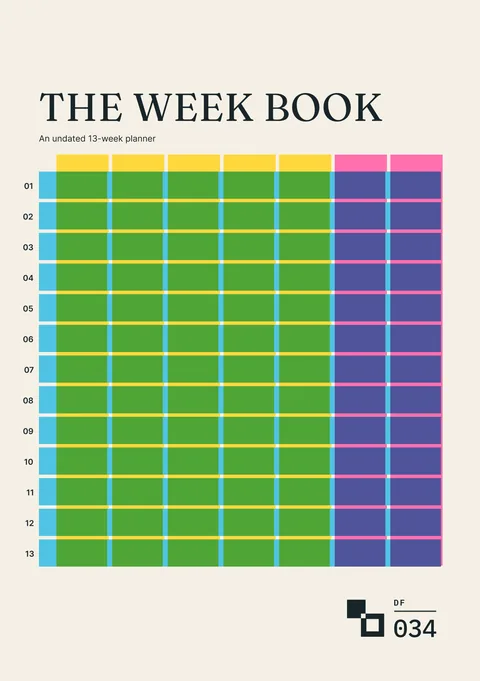
The Week Book
An undated thirteen-week planner for commitments, available time, chosen work and what changed.
For planning the weeks around time off
Request a tool or send feedback
Request a tool or report a problem
Tell us what you would like to add, change or fix in the Leave Tracker builder.