



Meal Planner · Free · No account
Plan meals and write the shopping list.
The workbook includes a Plan sheet for breakfast, lunch and dinner, a Meal Bank of your favourites to choose from, and a Shopping List grouped by section. The plan prints on one landscape page. Prep notes, snacks, leftovers and a cost estimate are optional.
- Excel 2016 and later
- Calculations checked in LibreOffice and Google Sheets
- Choose the planPick one or two weeks, a currency and the shop sections, written one per line in the order you walk round. Nine sections are suggested.
- Choose the extrasChoose a Meal Bank, a Shopping List, a snacks column, prep notes, leftovers and an estimated cost. Each one adds its own column or sheet.
- Download and fill inAdd your favourites to the Meal Bank, pick meals from the dropdown on the Plan, and list what to buy. The Summary counts what is left to plan.
Build your workbook
Preview: Plan, favourites and shopping. Change the selected dates, categories or layout to update the preview.
JavaScript is required to use the builder. The workbook is made in your browser.
What you get
One page for the fridge
A week or two of meals, set to print on a single landscape page.
Favourites in a dropdown
Add meals to the Meal Bank and select them from the Plan dropdown. Ten example meals are included.
A list in shop order
Items by section in the order you walk round, with a tick for what is in the trolley.
Tags, prep and leftovers
Add your own tags, prep notes and leftovers.
The Plan, favourites and shopping example
One week with Breakfast, Lunch, Dinner and Snacks columns, a Meal Bank with ten everyday meals filled in, a Shopping List by section and a leftovers column. The Plan prints on one landscape page, and the Summary shows what is left to plan and to buy.
Sheets included (6)
- Start HereHow the workbook works, what each sheet is for and the settings used.
- PlanThe week of meals, one day per row.
- Meal BankFavourite meals to choose from.
- Shopping ListWhat to buy, by section.
- SummaryMeals planned, what is left to plan and to buy.
- ListsEdit the white lists to change dropdown choices. Shaded lists are fixed because formulas use those names.
File details
- Made for
- Excel 2016 and laterThe download is an .xlsx workbook.
- LibreOffice
- No calculation errors in our testLibreOffice recalculated every formula in the workbook with no error values, such as #VALUE! or #N/A.
- Google Sheets
- Calculations matched Excel in our testGoogle Sheets removes sheet protection and repeated print headings.
- Apple Numbers
- Every calculation matched ExcelNumbers converts list-based dropdowns to plain cells and removes colour markers, sheet protection, frozen headings and number and date validation.
- Calculations
- The Start Here sheet lists the calculations used in this workbook. Results update from the entries you add.
- Builder privacy
- The builder runs in your browser. The entries used to make the workbook stay on your device. How the utilities work
Examples
Weekly meal planner
People who want a plain week on a page and a list to shop from, without building a bank of recipes first.
Meal planner with shopping list
A Meal Bank for meals you cook regularly, with dropdowns on the Plan.
Family meal planner
Families who shop every two weeks or who want to see what a run of meals costs before they buy.
Meal prep planner
People who cook in one session and eat from containers through the week, and plan the prep before they shop.
Questions
Are my builder entries sent to Due Form?
No. The builder uses them in your browser to make the workbook on your device.
Information is sent to Due Form when you submit a form or use another service described on the How it works page.
Can I print the plan for the fridge?
Yes. The Plan prints on one landscape page. The Shopping List prints portrait; sort it by shop order first to print it in the order you walk round.
Can I add a meal that is not in the Meal Bank?
Yes. Type it on the Plan and Excel asks whether to use it anyway. Add it to the Meal Bank as well if you want it in the dropdown next week.
How is the cost worked out?
You enter a rough cost against each meal in the Meal Bank. The cost of each meal is looked up by its exact name, and the week is added up. It is an estimate from your figures.
Does it list the ingredients for me?
No. The Meal Bank records main ingredients for each meal, but you write the Shopping List yourself, so the quantities and sections are your own.
Related Due Form edition
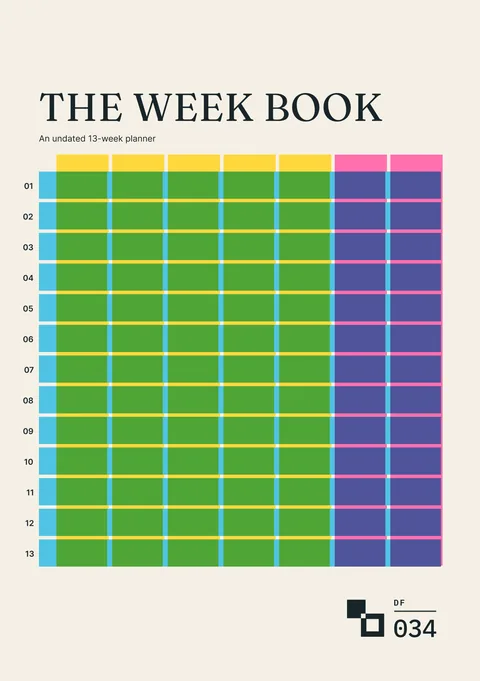
The Week Book
An undated thirteen-week planner for commitments, available time, chosen work and what changed.
For the week around the meals
Request a tool or send feedback
Request a tool or report a problem
Tell us what you would like to add, change or fix in the Meal Planner builder.