



Year Planner · Free · No account
A financial year planner that starts in April.
The financial setup runs twelve months from April, with Deadline, Payment, Return due, Review and Renewal categories. Filing dates, payment dates and review points are shaded on one page, and the Upcoming sheet shows how many days remain to the next 20.
- Excel 2016 and later
- Calculations checked in LibreOffice and Google Sheets
- Choose the yearPick the first month, the year, whether weeks start on Monday or Sunday, and the bank holidays for England and Wales, Scotland or Northern Ireland.
- Name your categoriesWrite up to seven categories, one per line, such as Deadline or Travel. Each gets a colour, shown in a key on the page.
- Download and add datesDownload the workbook and type one row per date on the Events sheet. The year page shades each day by itself.
Build your workbook
Preview: Financial year planner. Change the selected dates, categories or layout to update the preview.
JavaScript is required to use the builder. The workbook is made in your browser.
What you get
What is different in this setup
Sole traders, landlords and small organisations who plan around tax-year deadlines and payment dates.
- First month is April, so the page runs April to March.
- Categories cover Deadline, Payment, Return due, Review and Renewal.
- Upcoming shows days left to each filing or payment.
Sheets included (6)
- Start HereHow the workbook works, what each sheet is for and the settings used.
- YearEvery month on one page. Days with events are shaded.
- EventsOne row per event. Each event appears on the calendar pages.
- UpcomingThe next 20 events and the days left until each.
- ListsEdit the white lists to change dropdown choices. Shaded lists are fixed because formulas use those names.
- SettingsValues used by the workbook, such as reminder windows. Change them here.
File details
- Made for
- Excel 2016 and laterThe download is an .xlsx workbook.
- LibreOffice
- No calculation errors in our testLibreOffice recalculated every formula in the workbook with no error values, such as #VALUE! or #N/A.
- Google Sheets
- Calculations matched Excel in our testGoogle Sheets removes sheet protection and repeated print headings.
- Apple Numbers
- Most calculations match ExcelSome calculations on the Upcoming sheet and the Events sheet do not work in Apple Numbers. Numbers converts list-based dropdowns to plain cells and removes colour markers, sheet protection, frozen headings and number and date validation. Use Excel for all calculations and features.
- Calculations
- The Start Here sheet lists the calculations used in this workbook. Results update from the entries you add.
- Builder privacy
- The builder runs in your browser. The entries used to make the workbook stay on your device. How the utilities work
Questions
Are my builder entries sent to Due Form?
No. The builder uses them in your browser to make the workbook on your device.
Information is sent to Due Form when you submit a form or use another service described on the How it works page.
Does it know my tax deadlines?
No. Enter filing and payment dates from the relevant authority on the Events sheet. The planner highlights those dates and counts the days remaining.
Can I start in a month other than April?
Yes. April is where this setup begins, and you can pick any first month in the builder before you download, such as July or October.
Related Due Form edition
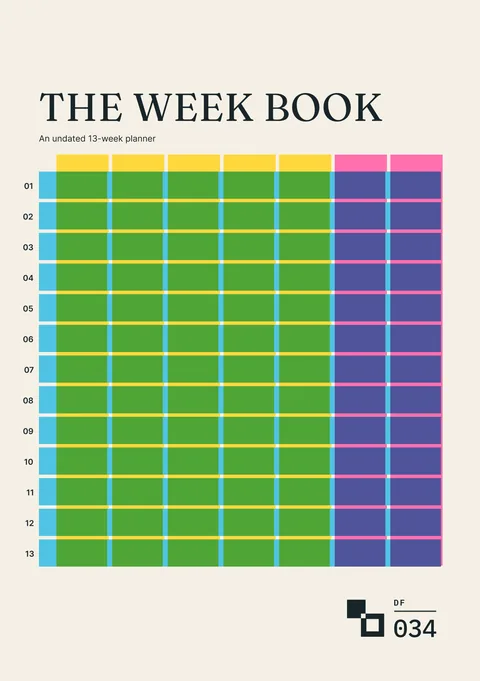
The Week Book
An undated thirteen-week planner for commitments, available time, chosen work and what changed.
Use it to plan each week on paper once the year’s dates are set.
Request a tool or send feedback
Request a tool or report a problem
Tell us what you would like to add, change or fix in the Year Planner builder.